
1. Introduction – My Personal Experience (EEAT)
When I first started using IPTV on my Firestick, I struggled to find
a clean, stable, and easy-to-use player. Some apps were too slow,
some kept buffering, and others were full of ads.
That’s when I discovered
IBO PRO PLAYER
,
and honestly, it changed my whole streaming experience.
I’ve installed this app on multiple Firestick devices in 2025 and now
in 2026, and it remains one of the
fastest, smoothest, and most reliable IPTV players
available.
So in this guide, I’ll walk you through
exactly how to install IBO PRO PLAYER on Firestick step-by-step
,
the same way I do it for my customers.
If you’re new to IPTV or installing apps on Firestick, don’t worry — I’ll keep everything simple and beginner-friendly.
2. What Is IBO PRO PLAYER?
IBO PRO PLAYER is a modern IPTV application designed to play your
own legal IPTV subscription.
It’s not an IPTV provider and does not include
channels by default.
The app supports:
- M3U Playlists
- Xtream Codes API
- Username / Password login
- MAC & Device ID activation
IBO PRO PLAYER is known for:
- Fast loading
- Smooth navigation
- Clean & modern interface
- Compatibility with Firestick, Android TV, Smart TVs, and mobile
It’s one of the top IPTV players used in 2026 for Live TV, Movies, and Series.
3. Key Features of IBO PRO PLAYER
Here are the features that make this player stand out:
- 🚀 Fast channel loading
- 🔥 Very smooth performance on Firestick
- 🎬 Supports Movies & Series (VOD)
- 🎧 Subtitle support
- 📺 HD, FHD & 4K playback
- 🧭 Clean & intuitive interface
- 📱 Works on all devices (TV, Phone, Tablet, PC)
- ⚡ Lightweight & frequently updated
- 🔐 Easy login system (M3U / Xtream / MAC)
- 👨👩👧 Parental control support
If you want a stable IPTV experience, this app is one of the best choices today.
4. How to Install IBO PRO PLAYER on Firestick (2026)
Here is the full step-by-step installation guide I personally use when setting up Firestick devices.
1️⃣ Enable “Apps From Unknown Sources”
- Open Settings
- Select My Fire TV
- Open Developer Options
- Turn on Apps From Unknown Sources
2️⃣ Install the Downloader App
You need the Downloader app to install IBO PRO PLAYER.
- Open the Amazon Appstore
- Search for Downloader
- Install it
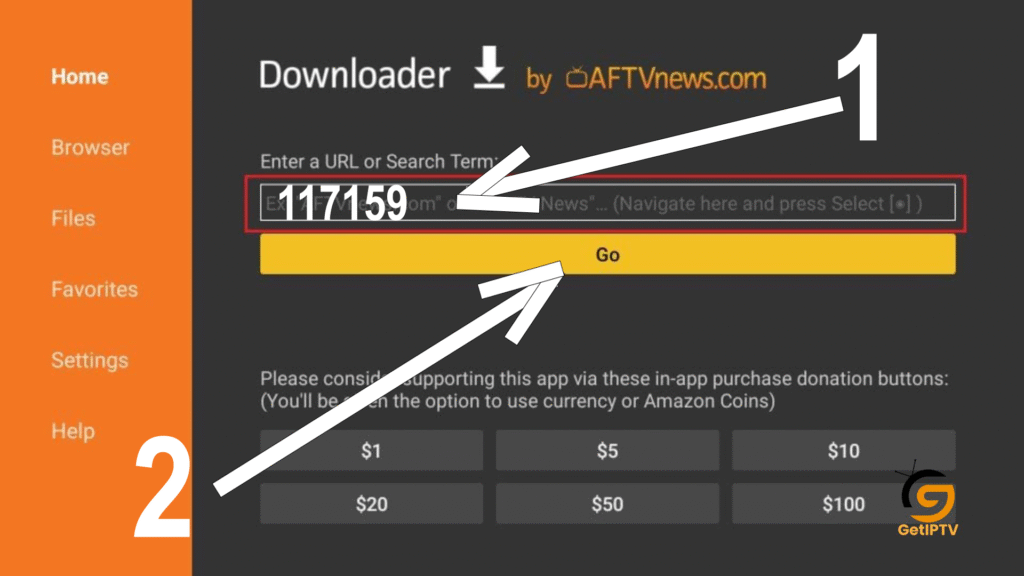
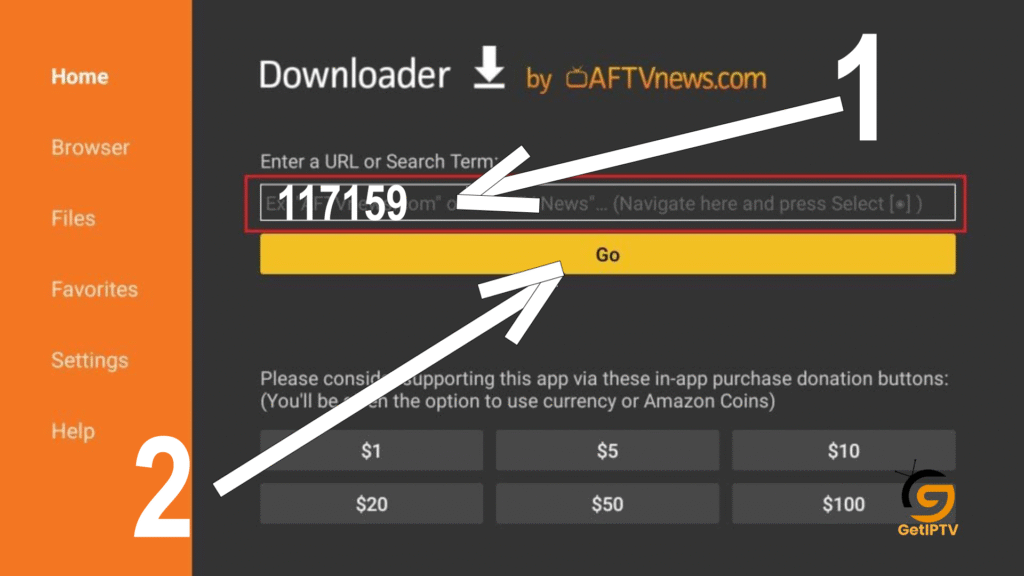
3️⃣ Enter the Download Link / Code
- Open Downloader
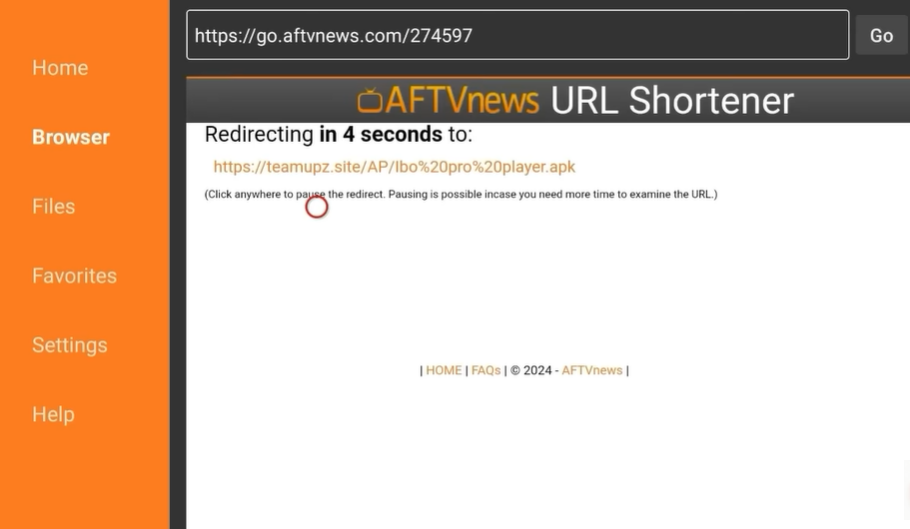
- Enter the IBO PRO PLAYER download code (117159)
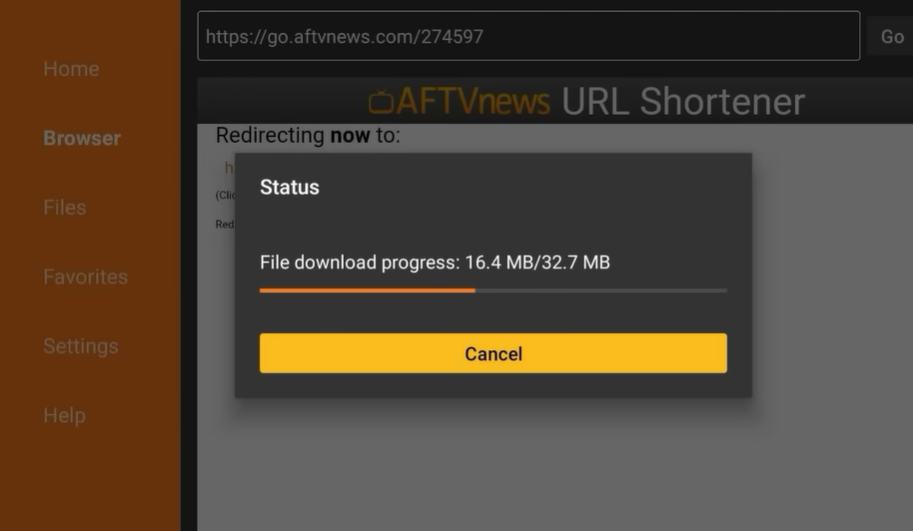
- Press Download
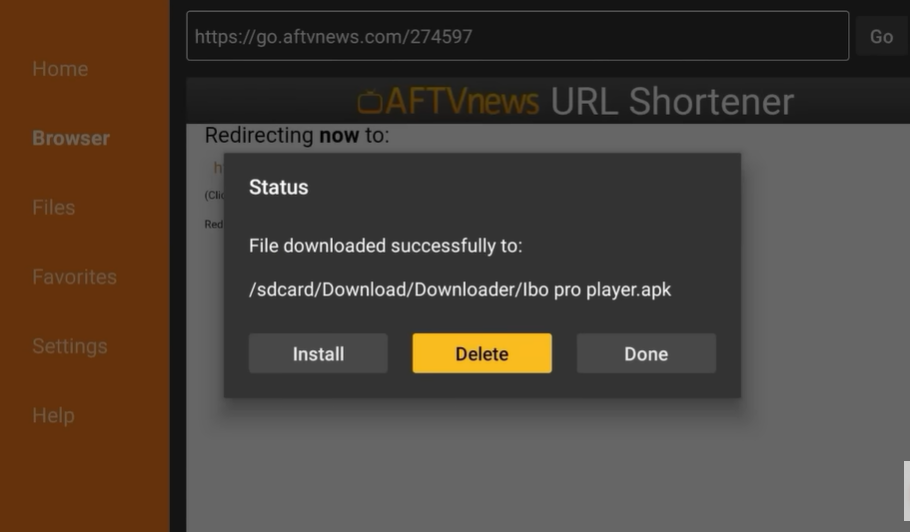
4️⃣ Install IBO PRO PLAYER
- Once the file downloads, select Install
- Wait a few seconds
- Press Open
STEP 1
STEP 2
STEP 3
STEP 4
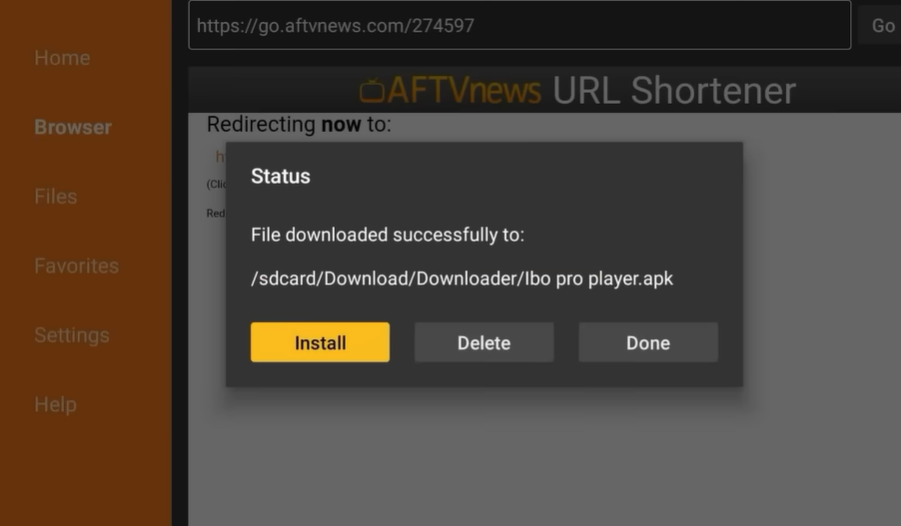
STEP 5
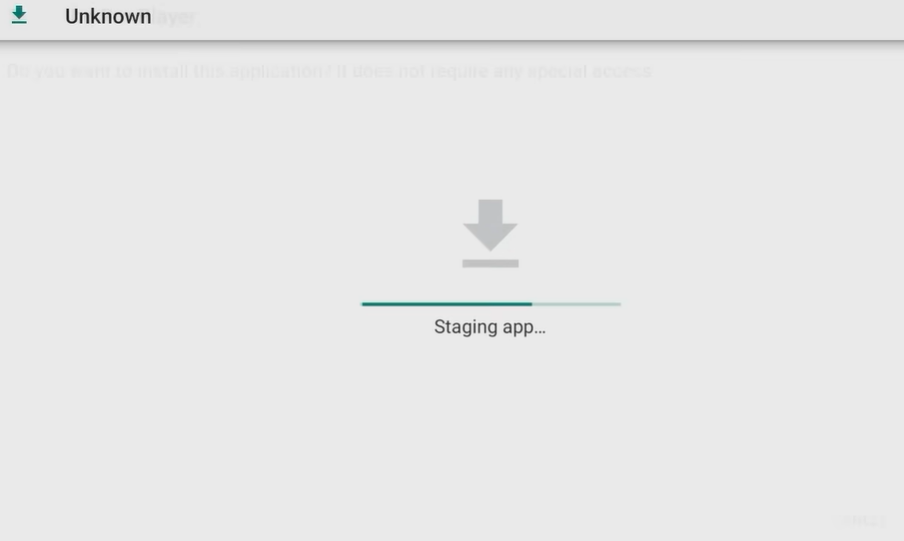
STEP 6: Install
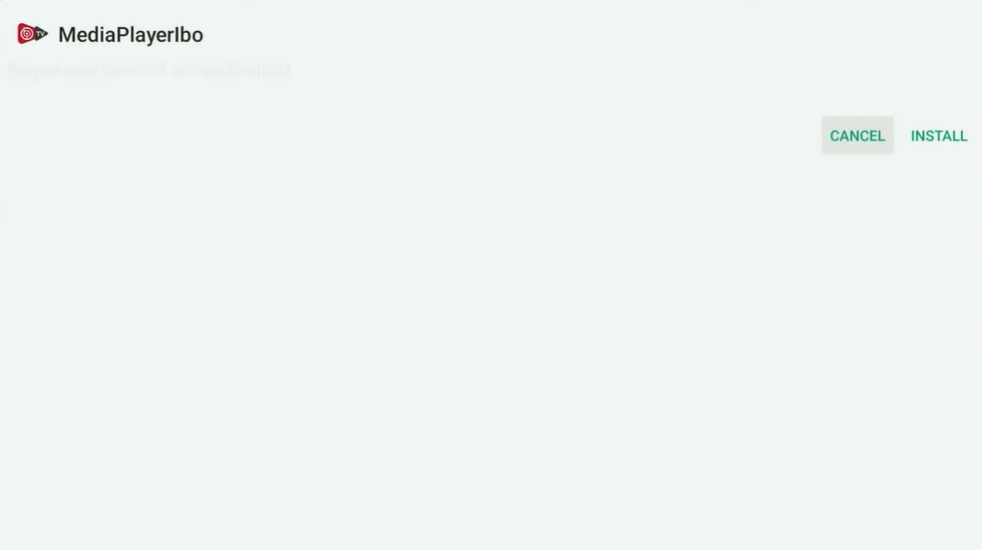
Done
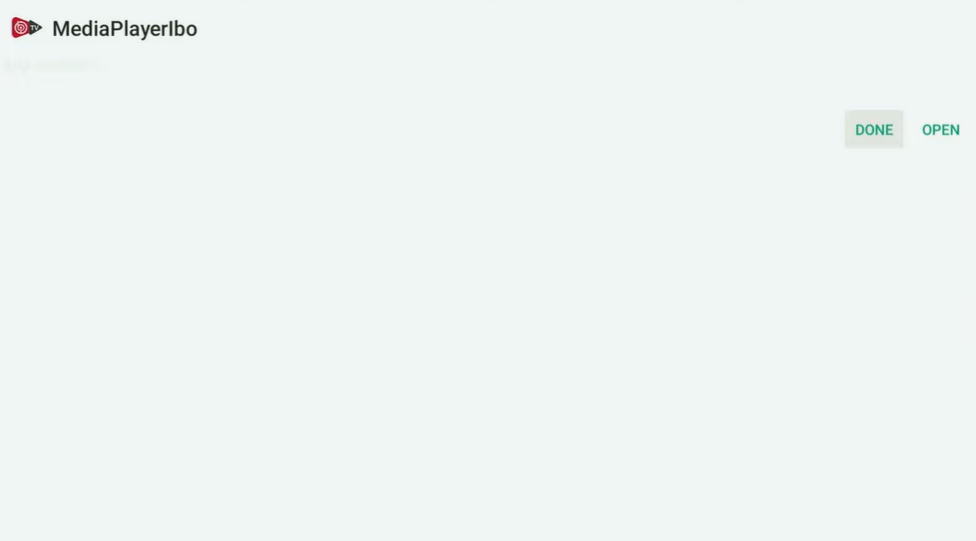
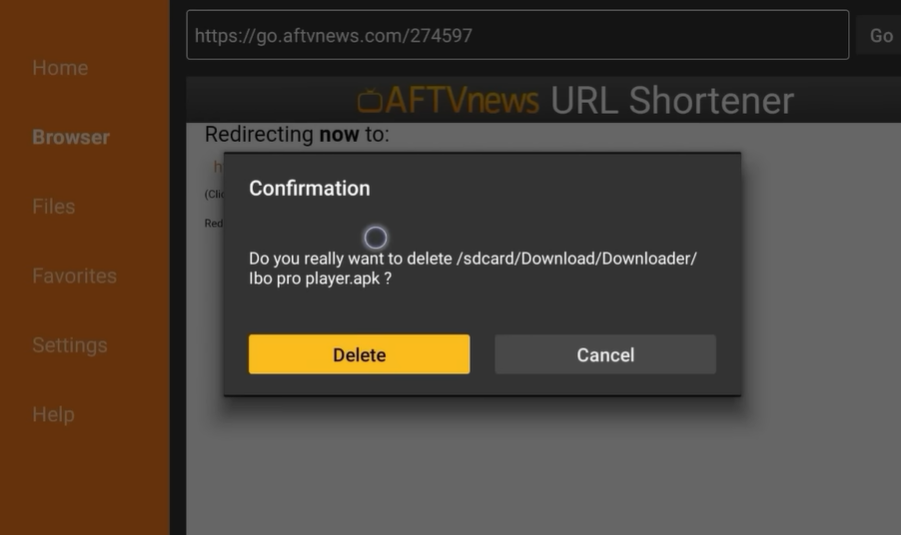
Delete
Delete
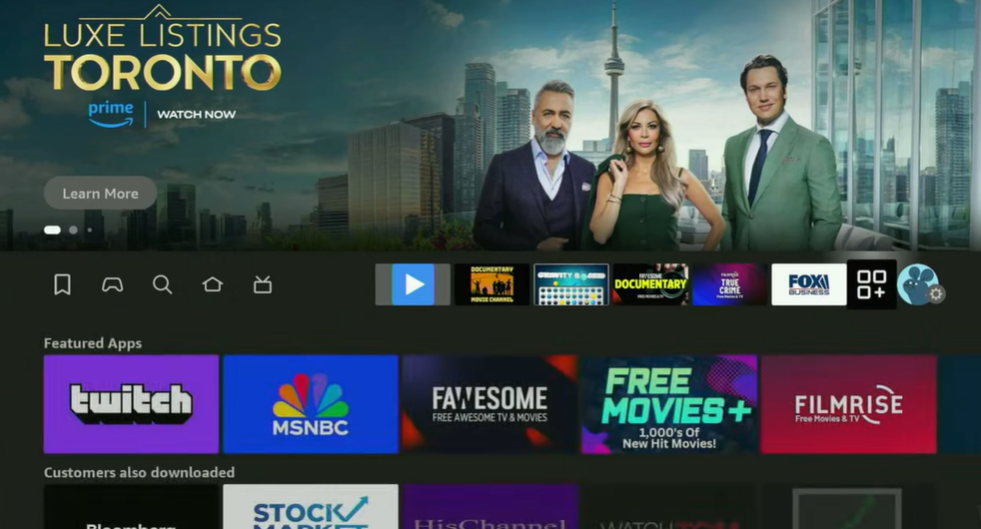
APPS
5️⃣ Open the App
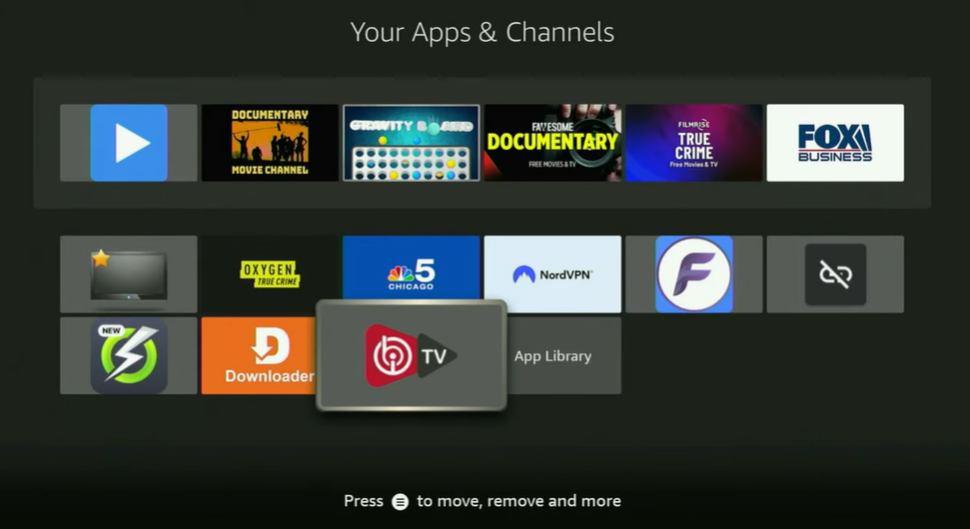
After installation finishes:
- Go to Your Apps & Channels
- Open IBO PRO PLAYER
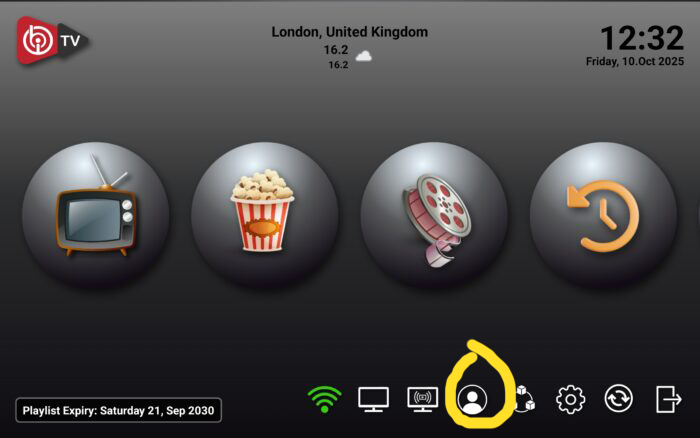
Send the Mac Address to the IPTV seller here: Best Seller IPTV and now you’re ready for activation.
🔑 How to Activate IBO PRO PLAYER
There are three activation methods inside the app.
Below I explain all of them clearly.
Get an IPTV Subscription
Send the Mac Address to the seller and continue with your IPTV activation.
BEST SELLER IPTVOne-Year Free Activation Note
If the user purchases an IPTV subscription from this seller:
IPTV Subscription
BEST SELLER IPTV➡️ The IBO PRO PLAYER activation is free for one full year.
This helps new users save money and start streaming immediately.
If you're comparing IPTV providers and looking for additional provider information, you can also visit Best Providers IPTV .
🎟 Get Your IPTV Subscription Here
Best Seller IPTV
Get your IPTV subscription and continue with your IBO PRO PLAYER setup.
BEST SELLER IPTVFrequently Asked Questions (FAQ)
No. It is only a player. You must add your own legal IPTV subscription.
The app may require activation, but users who subscribe through us get 1 year free.
Yes — Firestick Lite, Firestick 4K, Firestick Max, and older models.
Yes. It does not provide content. It only reads playlists.
It supports:
- M3U
- M3U8
- Xtream Codes
- MAC login
This guide is based on my real personal experience installing the app many times for customers.
Conclusion
IBO PRO PLAYER is one of the best IPTV apps for Firestick in 2026 thanks to its speed, stability, and simple interface. Even if you’re a beginner, installing the app and adding your IPTV subscription is very easy when you follow the steps in this guide.
If you want a smooth, fast, and modern IPTV experience, IBO PRO PLAYER is definitely worth trying — especially with the one-year free activation offered with our IPTV subscription.